


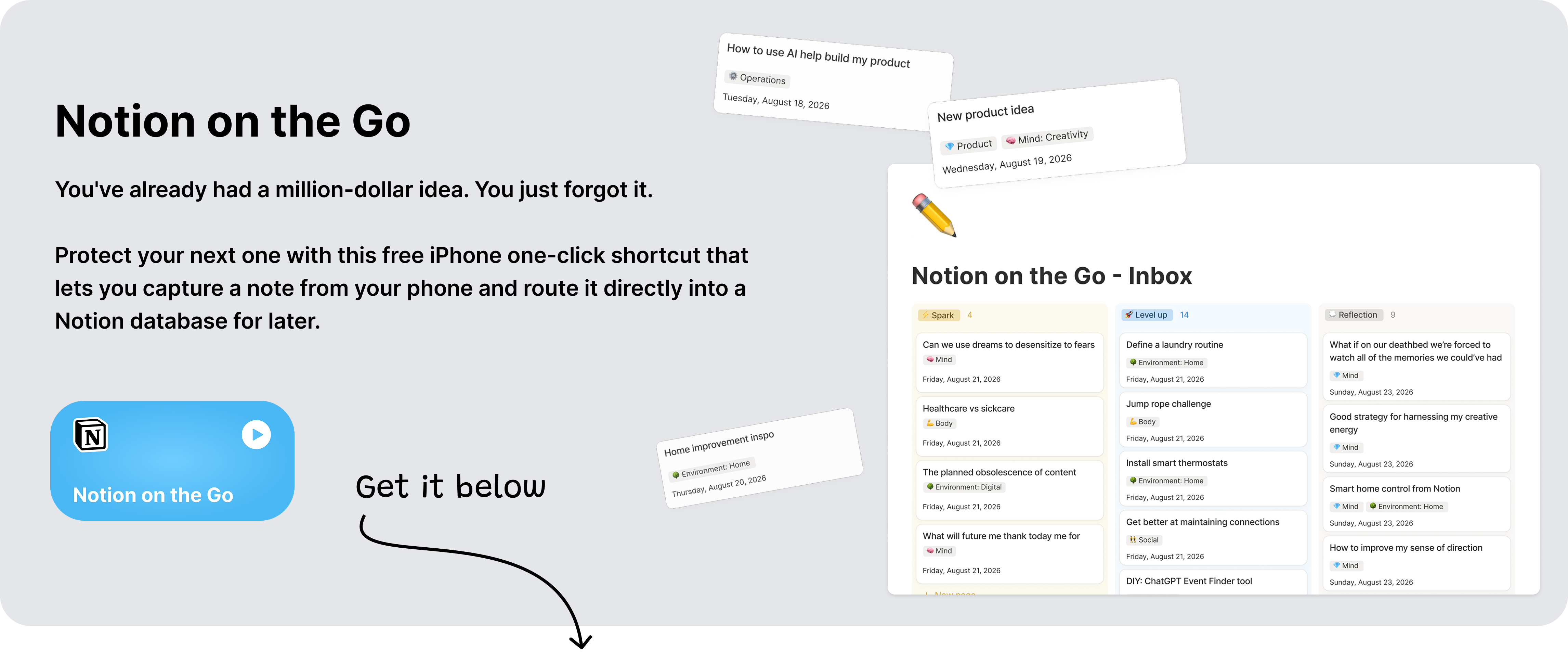
What if your next million-dollar idea shows up as a fleeting thought?
Save it from slipping through your fingers with Notion on the Go, a free iPhone one-click shortcut for quick capture, automatic Notion delivery, and an Apple Notes safety net.
Your best ideas can disappear as quickly as they come
You could be walking, cooking, watching something, or taking a shower. They don’t care where you are. Your best ideas won’t wait until you’re ready to write them down.
Whether it’s a spark, an observation, a reminder, or a friction worth fixing, if you don’t have an easy way to capture your ideas in the moment, you could miss out on some of your most promising opportunities.
Where should this go? Do I open Notion? Which database was it? Should I just use Apple Notes? I’ll remember it later…
By the time the right page loads, your thought will have lost its shape. Or even worse, you abandon it because you’ve defaulted to the decision that it wasn’t worth the interruption.
This is a design problem disguised as a discipline problem.
Every extra step and tap adds a small friction between inspiration and action. And because the value of a thought is still uncertain when it arrives, even a little friction can feel more expensive than the thought is worth.
Your brain makes the sensible short-term choice: keep moving.
But the cost shows up later as missed opportunities and a well-trained default to ignore your instincts.
All of your useful ideas, observations, and intentions that never made it into a system where they could’ve become something impactful.
Notion on the Go is the shortcut that I made to close that gap
Meet Notion on the Go
Notion on the Go is an Apple Shortcut that lets you capture a note from your iPhone and route it directly into a Notion database for later use.
At the same time, it saves a backup copy in Apple Notes.
The flow is intentionally simple:
Run the shortcut directly, or share text or a webpage to it from another app.
Type or review the captured thought.
Tap submit.
Find it waiting in your Notion database when you’re ready to process it.
Keep an automatic backup in Apple Notes in case the Notion pipeline ever fails.
You don’t have to open Notion, navigate your workspace, find the correct database, create a new entry, or decide what the note should become while the idea is still arriving.
Your only job is to catch it.
Capture and organization are different cognitive modes.
Capture benefits from speed and low judgment. Organization benefits from context and deliberate attention. Asking your brain to do both at once makes a fleeting thought carry too much weight.
This shortcut separates those modes.
It gives ideas a fast entrance and leaves classification for a better moment.
Why a shortcut changes more than a few taps
Saving ten seconds sounds trivial. The real value comes from changing the behaviour that kills your best ideas before they even gain any momentum.
1. Capture at the speed of thought
Every time you ignore an idea, you reinforce the identity of someone who does not believe in the worth of their ideas.
People who record their ideas, train themselves to notice more and they end up having more ideas as a result.
2. Keep Notion as your source of truth
Apple Notes is excellent for speed. Notion is powerful because a note can enter a larger system: an inbox, project, writing pipeline, content database, research library, or automated workflow.
This shortcut gives you the immediacy of a lightweight notes app while sending the result toward the place where you already plan, create, and organize.
3. Decide later, with more context
Ideas often arrive before you know what they are.
A sentence might become an essay. A film reaction might belong in a media log. A product frustration might become a design opportunity. A reminder might turn into a task.
Forcing an immediate category can shrink the idea too early. Routing everything through an inbox preserves ambiguity until you have enough context to make a better decision.
4. Trust the system because it has a safety net
Automation is useful when it’s trustworthy.
A conventional quick-capture tool asks you to assume that the pipeline worked, the internet cooperated, and the destination remained correctly configured.
Notion on the Go creates a backup in Apple Notes for every capture. If the Notion route encounters an error, your thought still has somewhere to land.
5. Create an on-ramp for smarter workflows
Once quick captures arrive in a database, they become usable material.
You can review them during a weekly reset, tag them by topic, connect them to projects, turn them into content, or use a Notion agent to help route them to the right places.
The shortcut is a small doorway into a much larger possibility: a personal system that can catch raw thoughts now and help develop them later.
I tested it as a one-week experiment
I built this shortcut because my previous capture workflow relied on easy access to my computer.
My hypothesis was simple: if I made mobile capture easier, I would record more ideas because I generally have more access to my phone.
During the experiment, I:
redirected iPhone captures into my Notion notes database;
added a field to distinguish shortcut captures from notes created in Notion;
added the Apple Notes safeguard;
compared how often I captured from my phone versus my computer.
The result was directionally positive: I captured more notes through my phone. Truthfully, the increase was modest because I usually had access to my computer, but the shortcut accommodated the exact moments when I was away from my computer.
I believe that distinction matters. A tool can be valuable without becoming your most-used tool. A fire exit, for example, is judged by the moment you need it, not by daily traffic.
The experiment showed me that accessibility is cumulative. Each extra route into a system removes another situation where a thought can fall through the cracks.
What you’ll get
The ready-to-install Notion on the Go Apple Shortcut
Fast capture by typing directly or sharing text and webpages from other apps
Automatic routing into a Notion database
Automatic backup of every capture in Apple Notes
A flexible foundation for tagging, processing, and agent-assisted routing later
Get your shortcut
After subscribing, Substack will return you to this page and reveal the setup guide automatically. Already subscribed? Sign in with the email connected to your subscription.